
Too many tabs
Opening every SNS again and again
The more platforms you use, the more browser tabs, sessions, and account checks you need.

Post, reply and like on the free version. Pro adds AI-powered workflows.
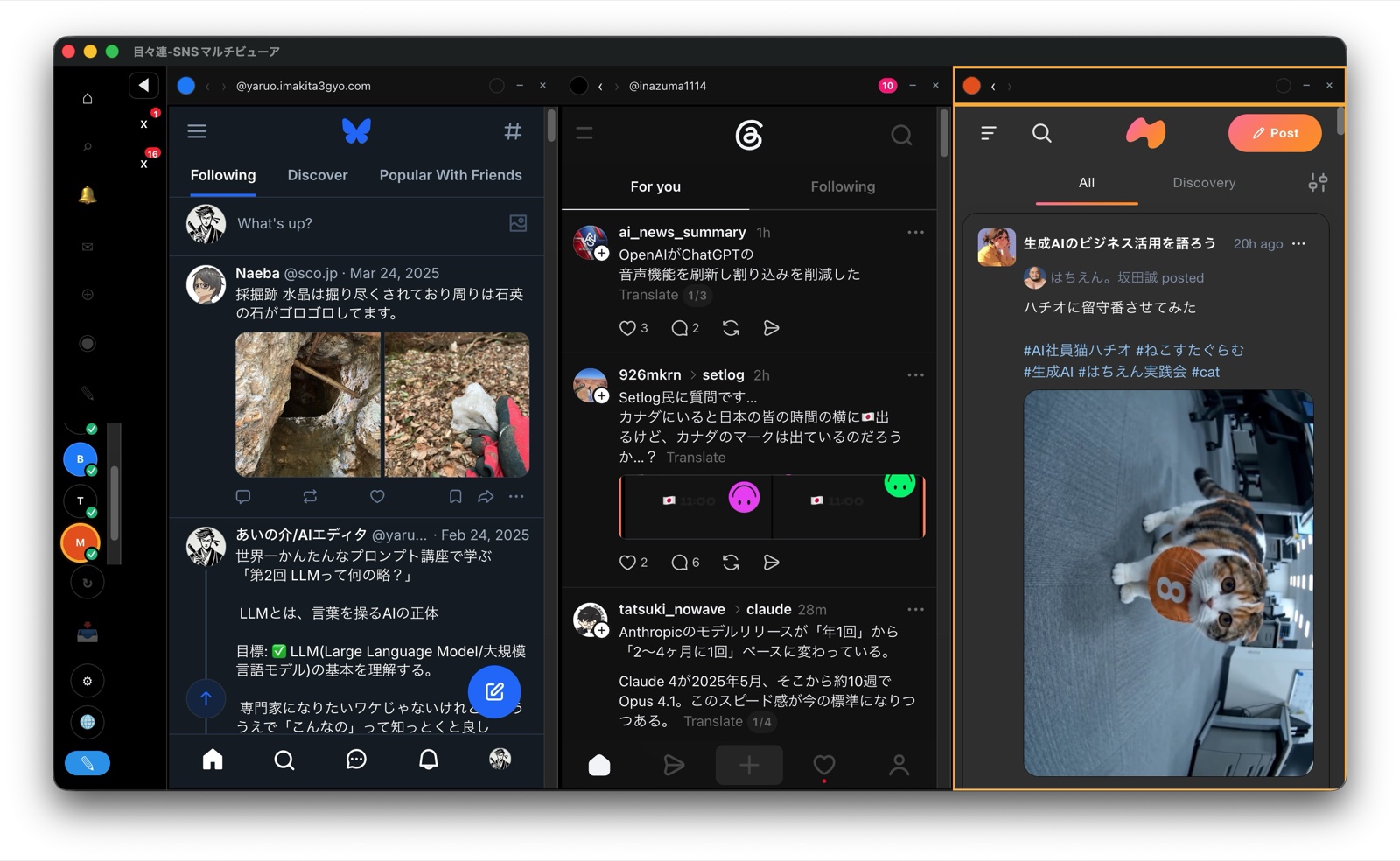
Use X, Bluesky, Threads, mixi2, and Substack in separate browser sessions for each account. Even on the free version, you can post, reply, like, and react just like in a normal browser. Upgrade to Pro for AI integration, draft management, and one-to-many delivery workflows.Even on the free version, you can use 5 social platforms in one screen. Post, reply, and like just like a normal browser. Pro adds AI draft import and one-to-many delivery.
AI can draft posts quickly, but the final publishing workflow is still repetitive. mokumokuren reduces that last mile of manual work.
The more platforms you use, the more browser tabs, sessions, and account checks you need.

You write with Claude or ChatGPT, then copy, paste, edit, and repeat for each platform.

Personal, work, brand, client accounts — one wrong account can become a real problem.

Tools that bundle your social accounts ask for your credentials. mokumokuren is local-first — nothing leaves your machine.
Send drafts from your AI client into mokumokuren Inbox. Choose the social platforms and deliver into every compose form at once.
Create post drafts with Claude Desktop, Codex, LM Studio, and more.
Review AI-generated drafts in one organized Inbox.
Select X, Bluesky, Threads, mixi2, Substack, or multiple destinations.
Every compose form is auto-filled. Review and hit send.
Even on the free version, you can use standard SNS features directly: post, reply, like, and react.
Bring X, Bluesky, Threads, mixi2, and Substack into one app.
Switch between personal, work, brand, or client accounts.
Keep login sessions separated for each account.
Use each social platform just like you would in a normal browser.
Your data stays on your PC and is not stored on external servers.
Stay focused on your daily social workflow, even on the free version.
With Pro, connect AI clients and centralize drafts in Inbox. Choose destinations and deliver in one go, reducing repetitive SNS workflow.
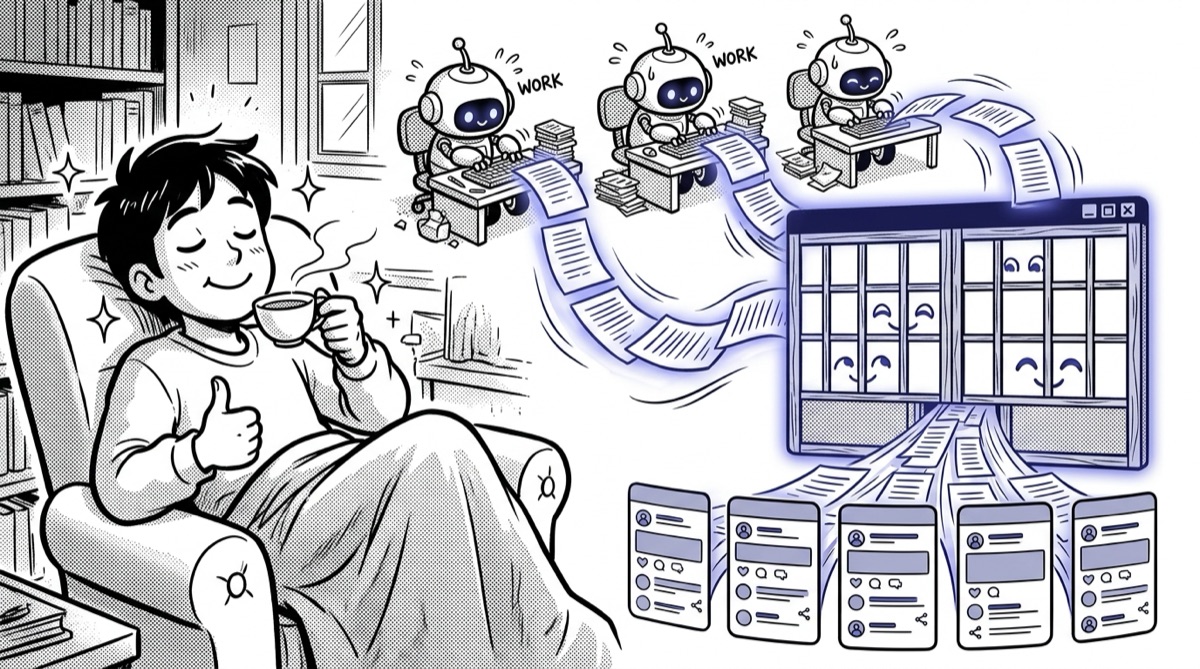
Receive post drafts from Claude Desktop, Codex, LM Studio, and more.
Collect AI-generated drafts in mokumokuren Inbox.
Choose destinations and auto-fill every network's compose form at once.
Long drafts with a title open Substack's article editor, title pre-filled.
Organize AI-generated ideas and review them before publishing.
When you need AI integration, upgrade to Pro and make posting even more efficient. Pro is $7/month with your first month free — cancel anytime.
Start by bringing 5 social platforms into one screen. When you need AI integration, upgrade to Pro and streamline the posting workflow.
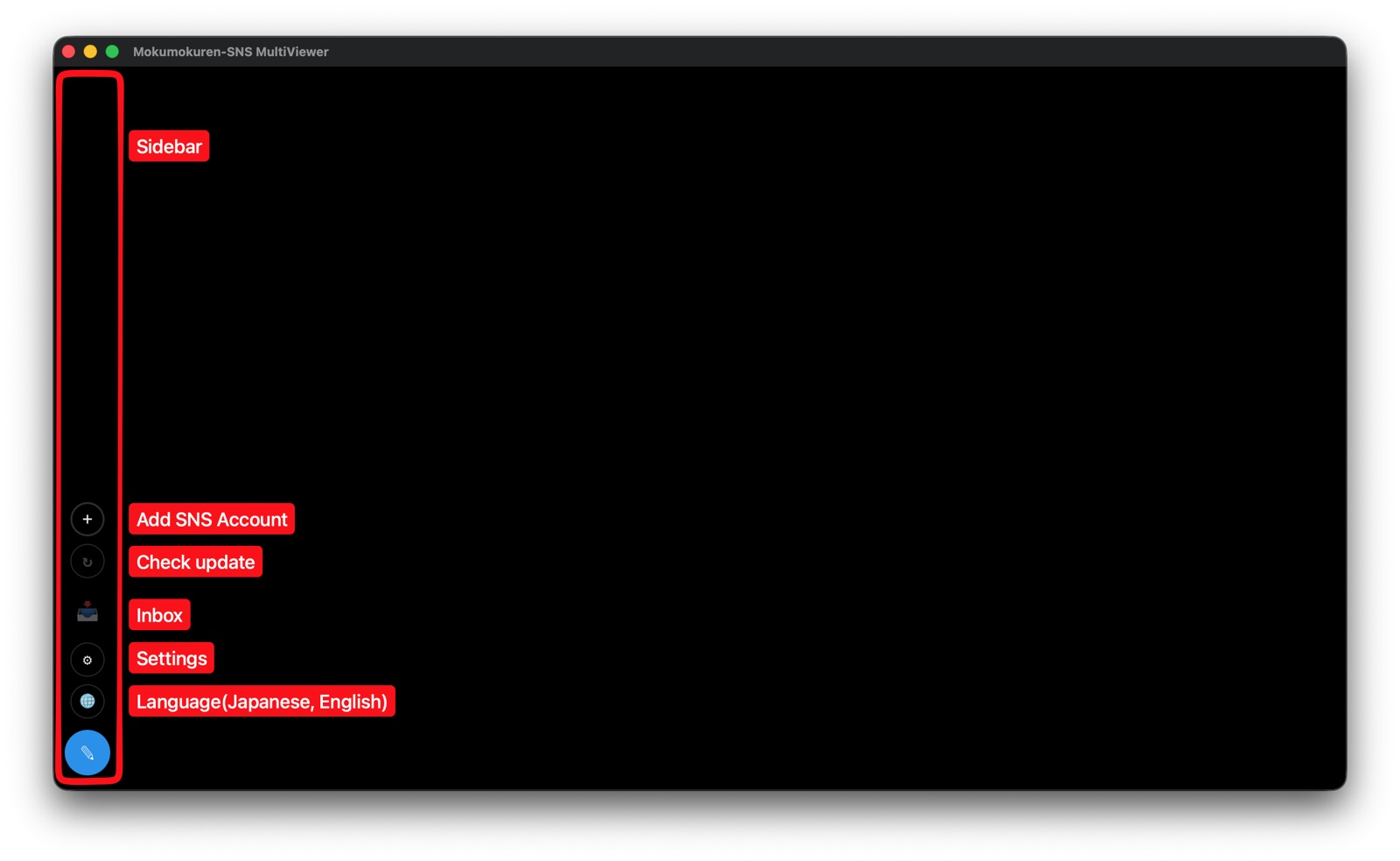
Install on macOS or Windows.
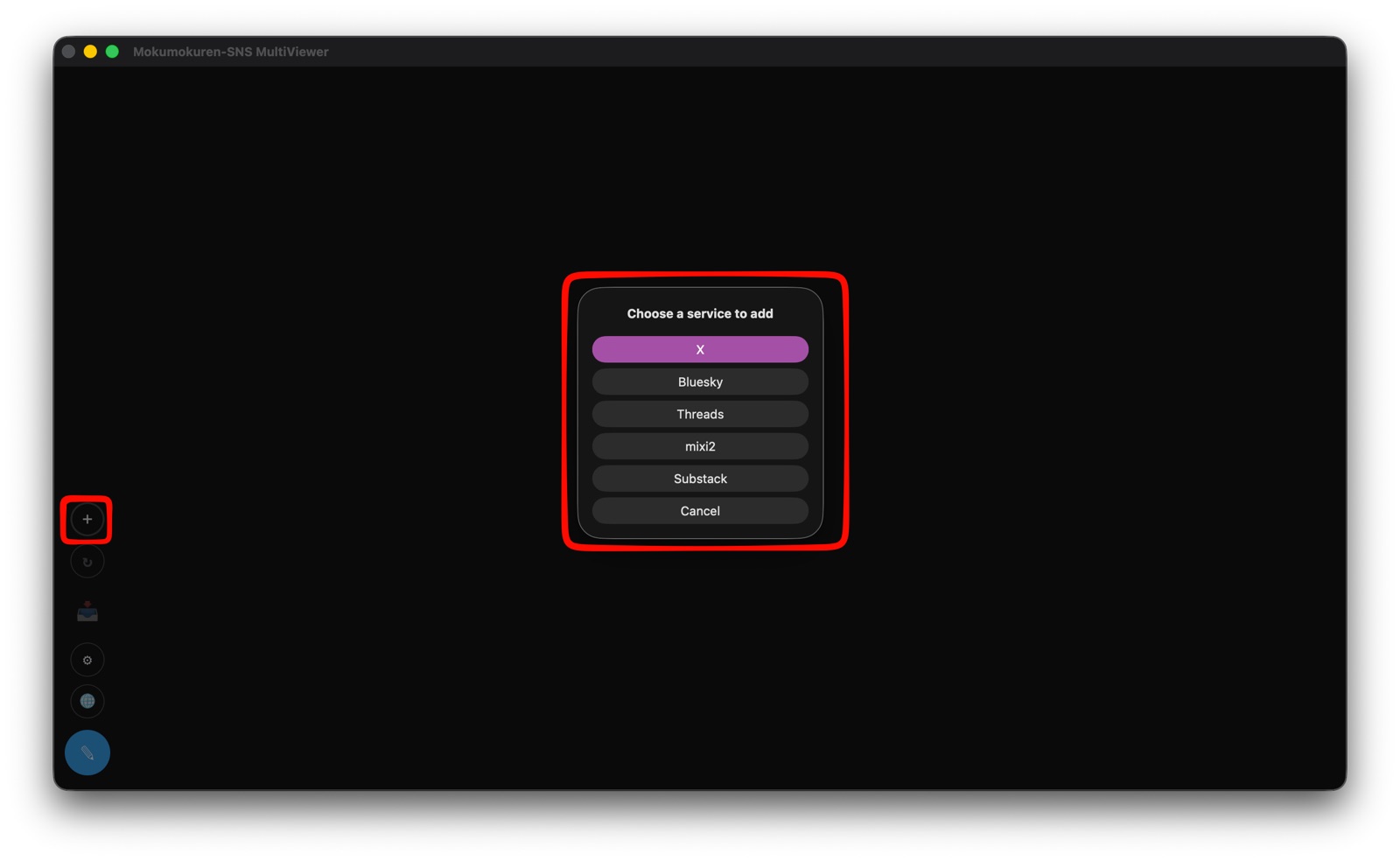
Add X, Bluesky, Threads, mixi2, and Substack.
Post, reply, like, and react just like in a normal browser.

Connect Claude Desktop, Codex, LM Studio, and more.

Check AI-generated drafts in mokumokuren Inbox.

Every compose form is filled at once. Review and hit send.
The free version is not view-only. You can post just like in a normal browser. Pro adds AI integration and workflow automation.
Post and manage 5 networks in one screen. Move to Pro when you want AI drafts and one-shot delivery.
| Normal browser | mokumokuren Free | mokumokuren Pro ($7/mo · first month free) | |
|---|---|---|---|
| Manage 5 platforms in one screen | — | ✓ | ✓ |
| Manage multiple accounts | △ | ✓ | ✓ |
| Isolated browser sessions | △ | ✓ | ✓ |
| Post, reply, and like | ✓ | ✓ | ✓ |
| Import AI drafts | — | — | ✓ |
| Inbox management | — | — | ✓ |
| Deliver to multiple SNS together | — | — | ✓ |
| Long-form article delivery (Substack) | — | — | ✓ |
| Local storage | △ | ✓ | ✓ |
Here are the key differences between Free and Pro, plus details about posting, data storage, and supported platforms.
Yes. The free version is not a view-only browser. You can operate each SNS just like a normal browser, including posting, replying, liking, and reacting.
With the free version, you can view X, Bluesky, Threads, mixi2, and Substack in one screen and manage multiple accounts with isolated browser sessions. You can also post, reply, like, and react just like in a normal browser.
Pro connects with MCP-capable AI clients such as Claude Desktop, Codex, and LM Studio, imports AI-generated drafts into Inbox, and supports destination selection, one-to-many delivery (you send the final post), long-form Substack articles, and draft management.
$7 USD per month, and your first month is free — cancel during the free month and you pay nothing. You can cancel anytime from 'Manage subscription' in the app.
No. mokumokuren is local-first. Your data is stored on your PC and is not stored on external servers.
No API keys are required for normal SNS usage or the free version. You can use each SNS like a normal browser.
Yes. You can add multiple accounts and manage them with isolated browser sessions.
Yes, mokumokuren is intended for macOS and Windows. Please check the download page for the latest supported versions.
Any MCP-capable (Model Context Protocol) AI client can connect. Claude Desktop, Codex, and LM Studio are verified. With LM Studio you can even use local LLMs so drafts never leave your machine.
You need the Pro version. With Pro, drafts can be sent from your AI client into mokumokuren Inbox for review and publishing.
No. Even the free version has no ads.
Even on the free version, you can post, reply, like, and react. Want AI integration? Try Pro — $7/mo, first month free.