MCP integration
mokumokuren embeds an MCP (Model Context Protocol) server. Connect an MCP client — Claude Desktop / Codex / OpenCode — and the AI can send its drafts straight to the Inbox via the submit_drafts tool.
mokumokuren doesn't care which LLM you use. The AI client generates; mokumokuren receives and delivers.
:::info Pro feature MCP integration is a Pro feature. Make sure your account shows Pro. → Pro :::
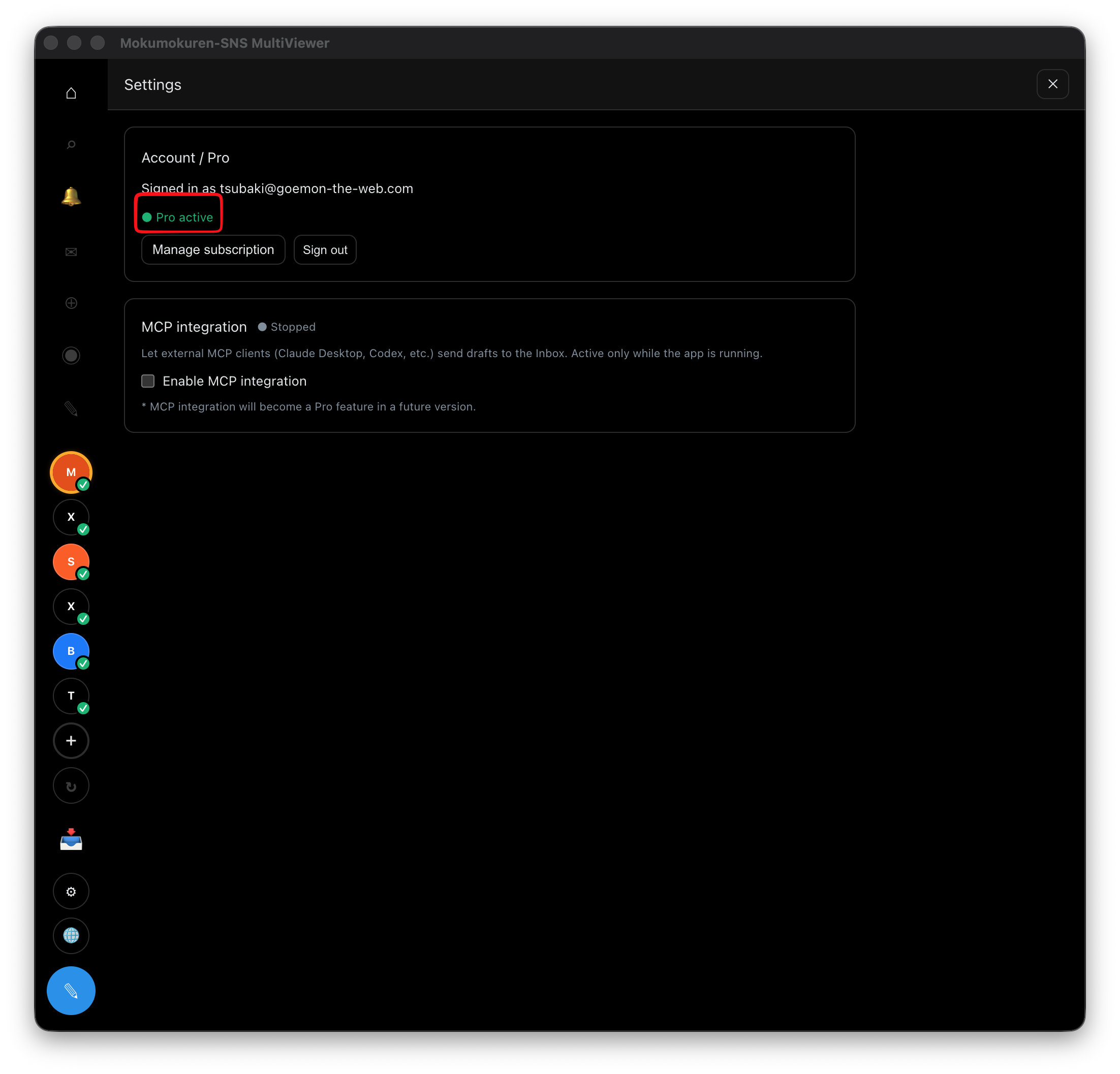
Enabling
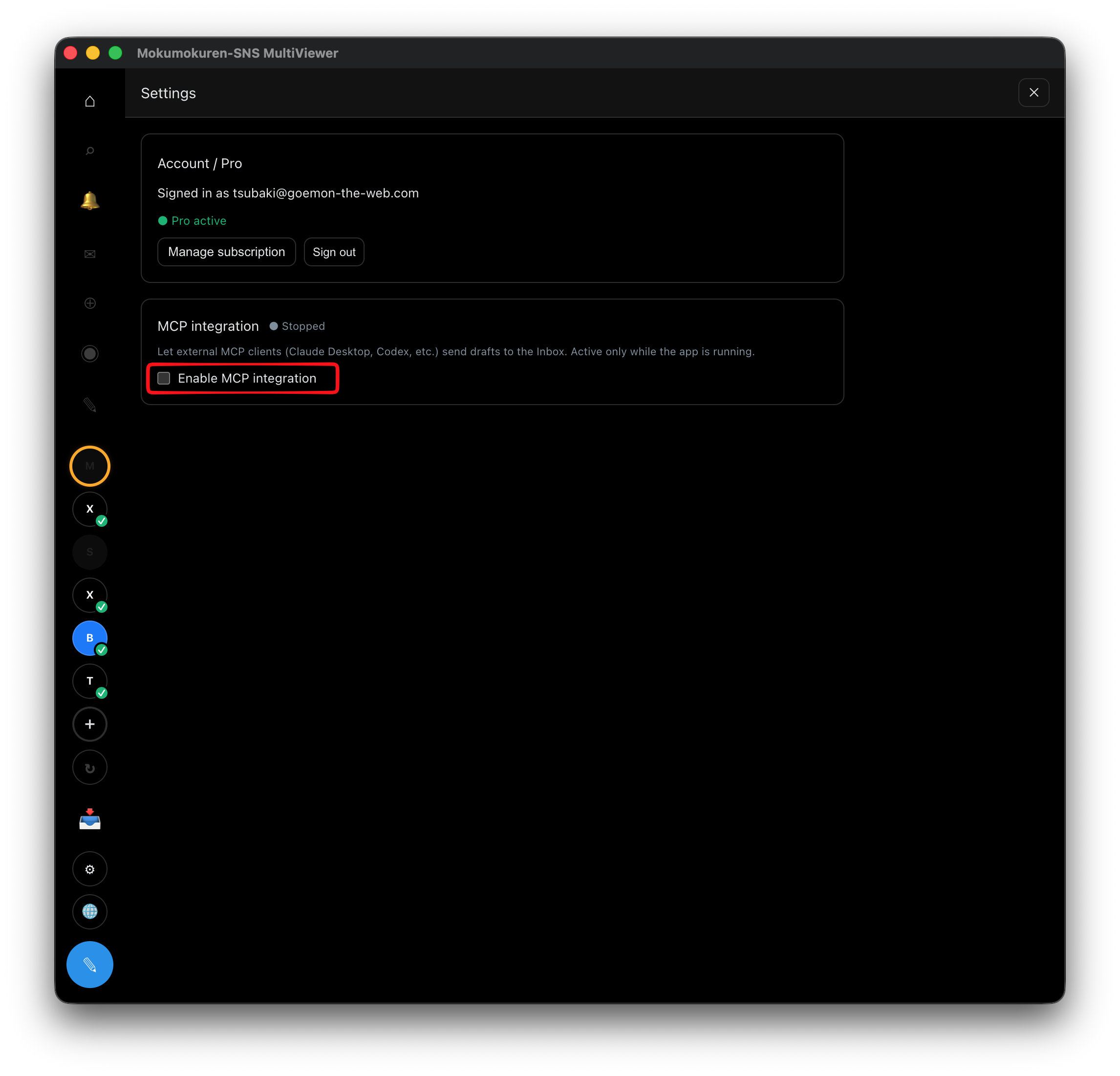
- Open ⚙ (Settings) in the sidebar.
- Turn on "Enable MCP integration" (requires Pro). The status switches to "Running".
- The connection URL, token, and connection snippets appear.
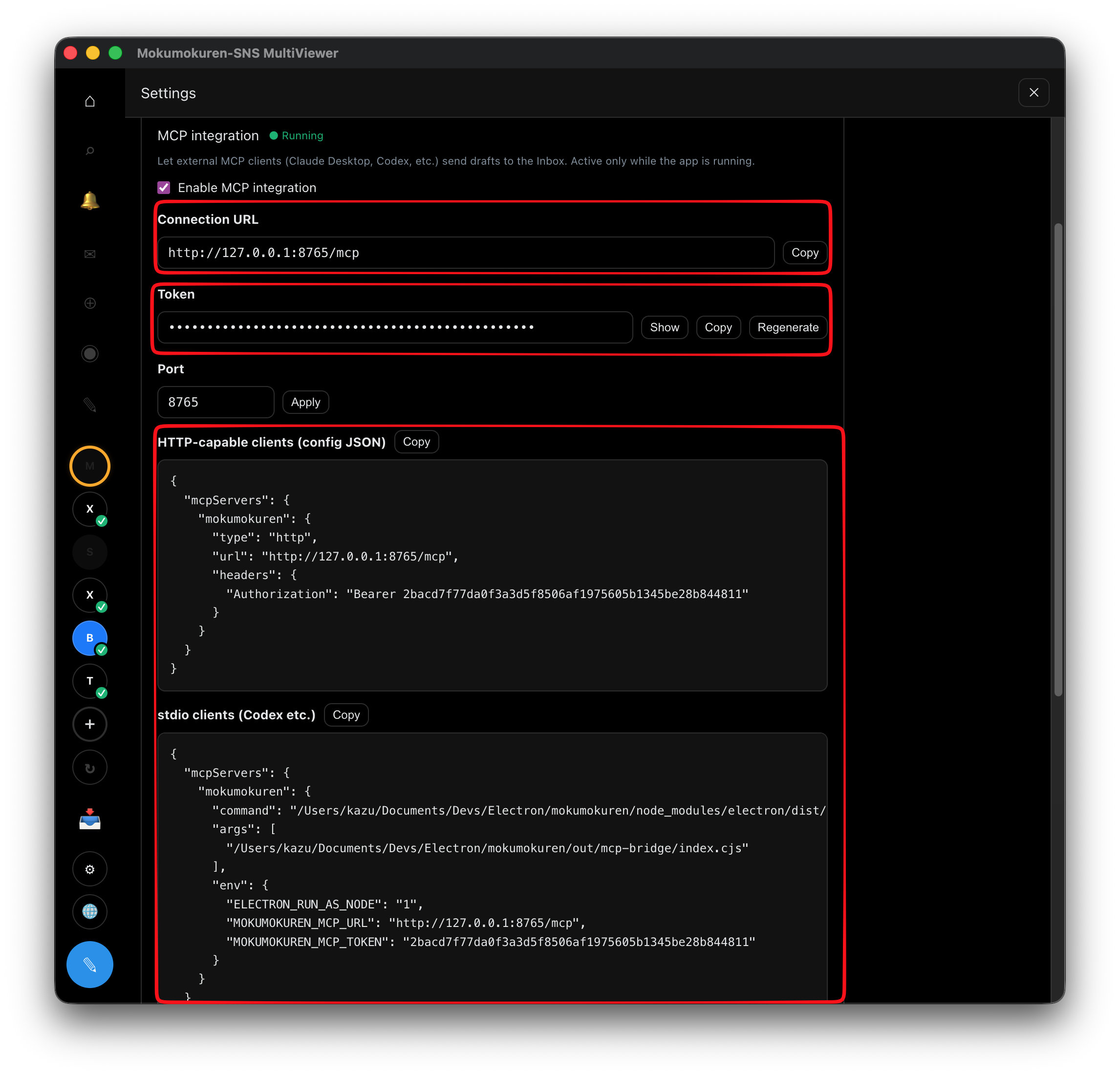 The server listens on 127.0.0.1 (local only) and requires a local token. It runs only while the app is open.
Connecting clients
Copy a connection snippet from the settings screen and paste it into your client's configuration. There are two kinds:
- HTTP-capable clients — connect directly with the URL and token.
- stdio clients (Codex, etc.) — use the bundled bridge.
commandpoints at the app's executable andenvcarries the URL and token (no separatenodeinstall needed).
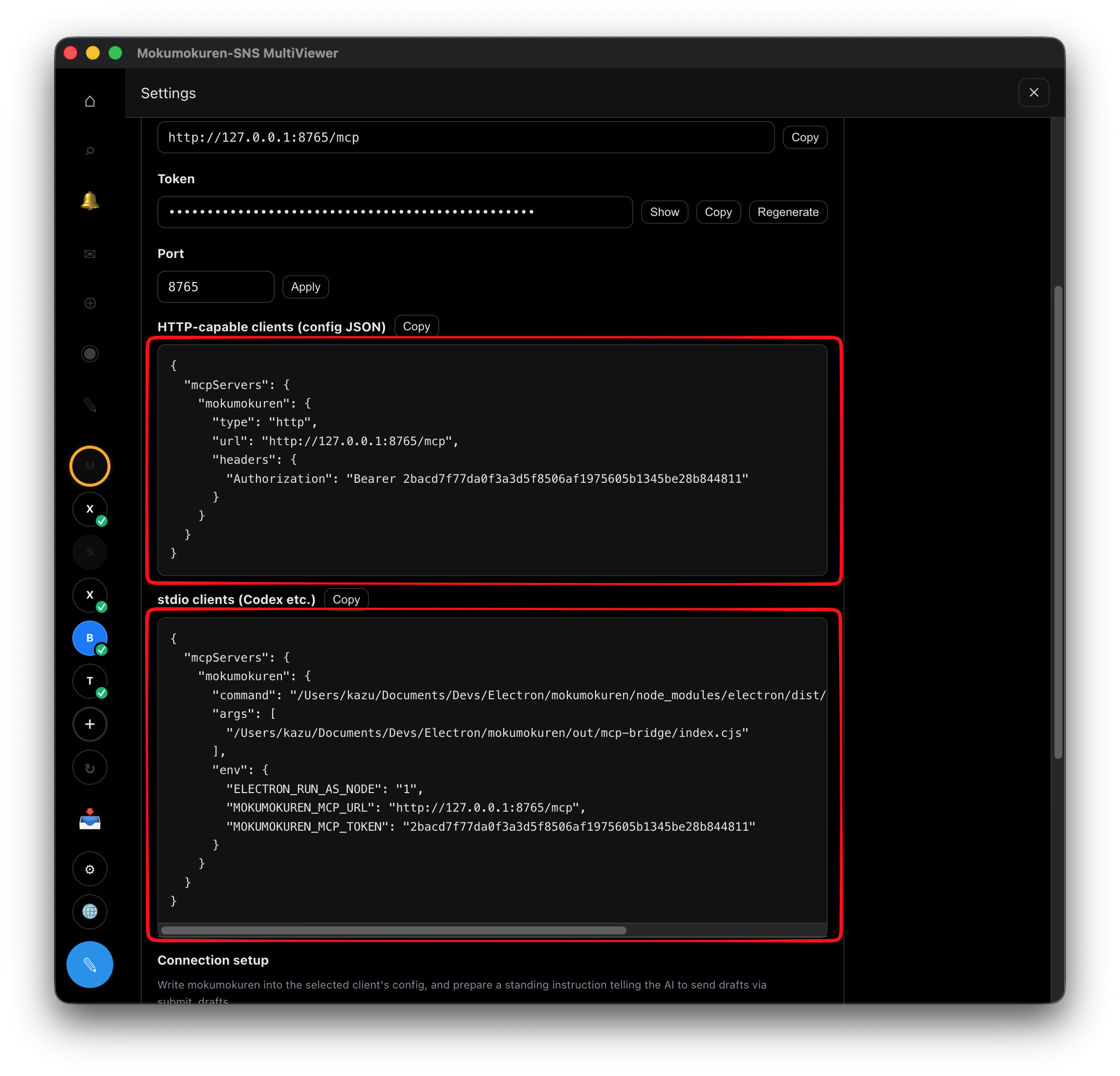
Where to paste, for example:
- Claude Desktop —
mcpServersin~/Library/Application Support/Claude/claude_desktop_config.json - Codex — Codex's MCP settings
Or simply click the write-to-config button for your AI client, then restart the client.
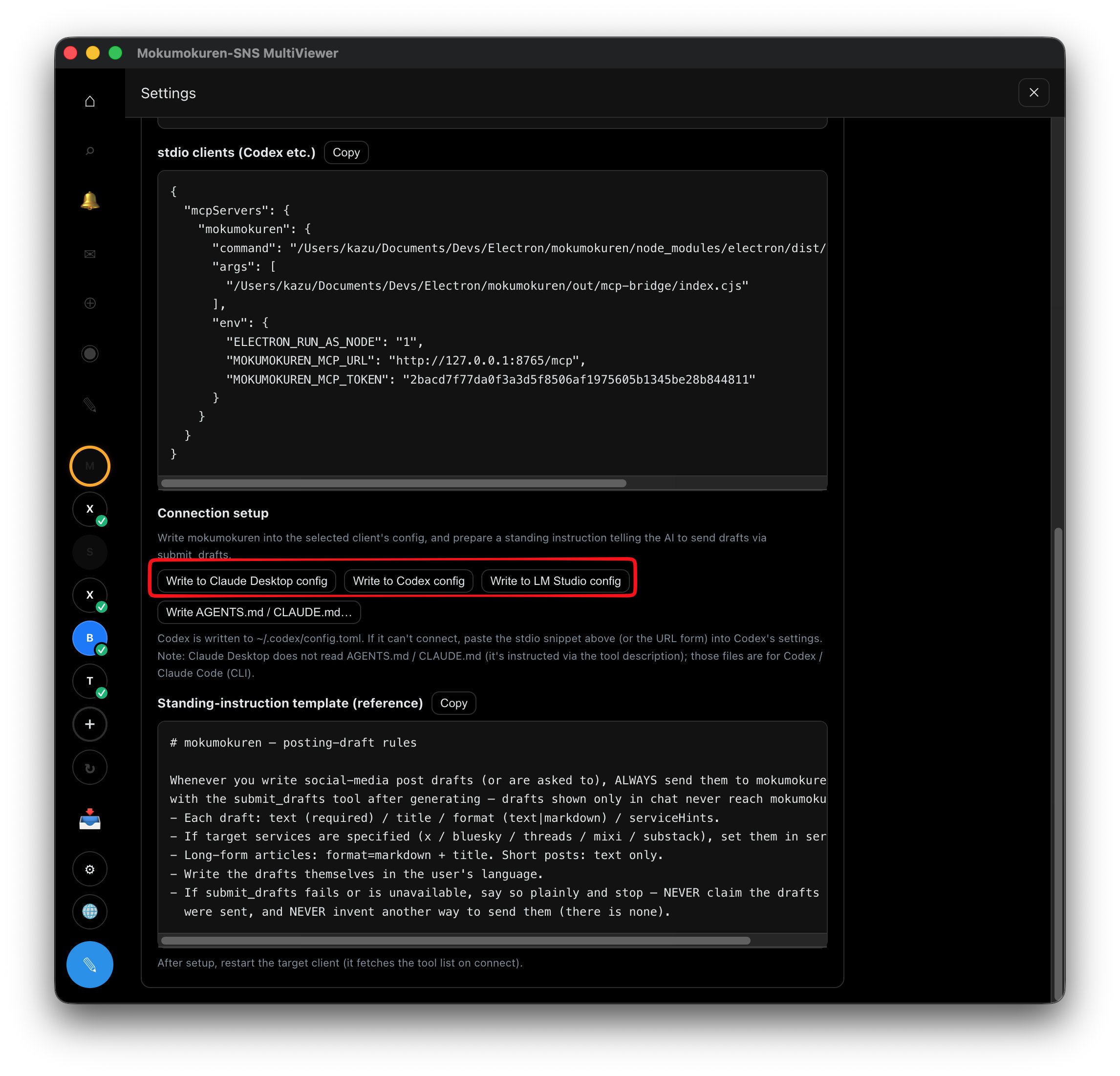
After configuring, restart the client (it fetches the tool list on connect). Once connected you'll see submit_drafts / list_accounts / list_drafts.
Using it
Ask your AI client to "write post drafts and send them to mokumokuren" — the client calls submit_drafts and the drafts appear in the Inbox.
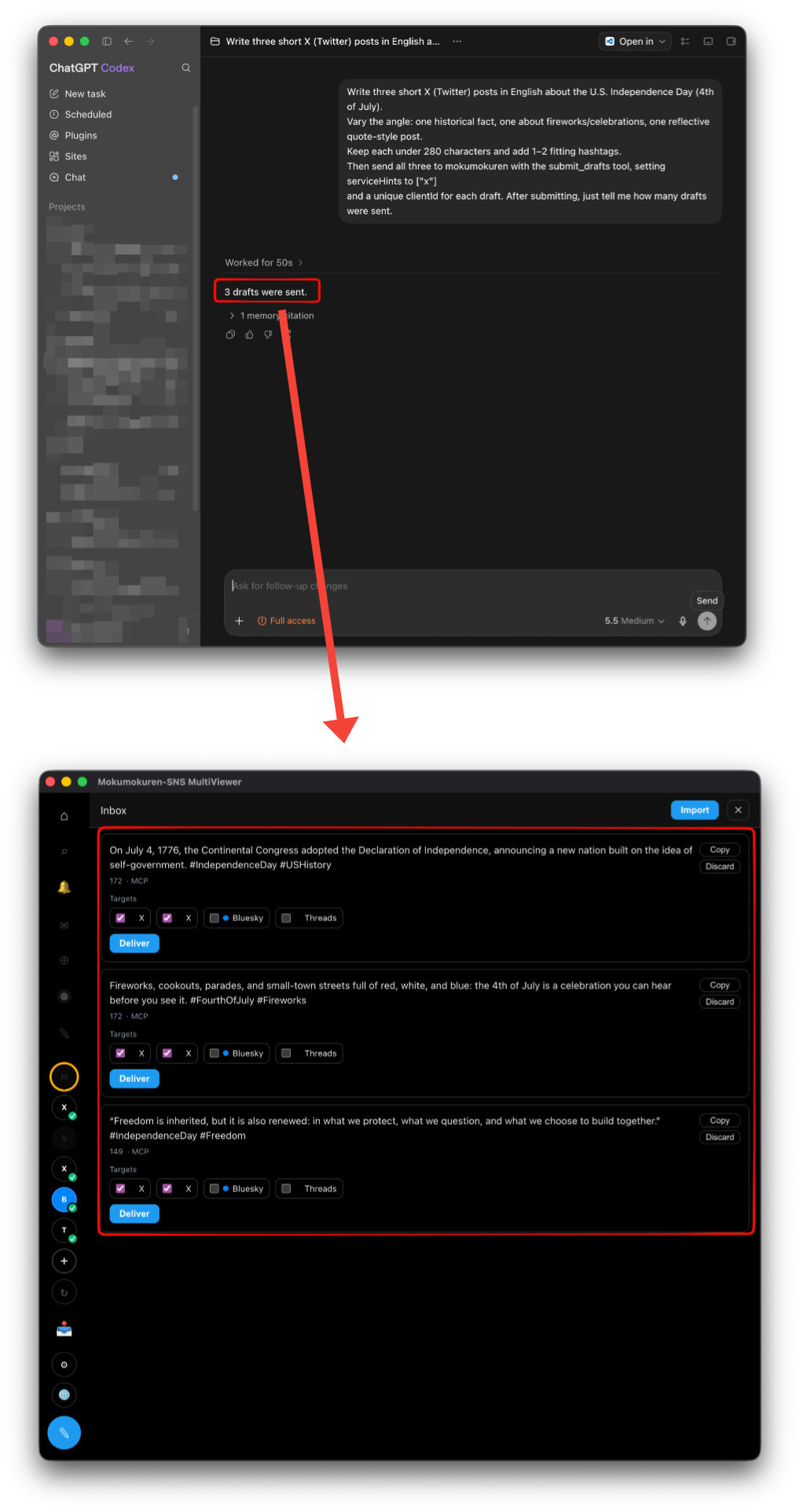
To skip saying it every time, add a standing rule to the client (e.g. Codex's AGENTS.md):
Whenever you write (or are asked to write) social-media post drafts, always send them to
mokumokuren with submit_drafts after generating.
Each draft: text (required) / title / format (text|markdown) / serviceHints.
If target services are specified, set them in serviceHints.
Token & port
- Regenerate token — from the settings screen (e.g. if it leaks). After regenerating, update your clients' configs too.
- Port — automatic by default; falls back to a free port when occupied.
What happens to submitted drafts
Drafts that land in the Inbox are routed and delivered per Inbox: ingestion & delivery.